
Zebronics NS 1500 Laptop Stand Review: Pure, Simple Ergonomics on a Budget
- Farman

- Aug 31, 2025
- 5 min read

Executive Summary - Zebronics NS 1500 Laptop Stand Review
Aspect | Summary |
Product | |
Category | Passive Ergonomic Laptop Riser |
Key Feature | Utter simplicity, lightweight portability, and zero fuss. |
Ideal For | Students, remote workers, and anyone seeking immediate postural relief without cables or complexity. |
Price Segment | Ultra-Budget |
In a world of USB-powered gadgets, RGB lighting, and whirring fans, there's something to be said for pure, unadulterated simplicity. The Zebronics NS 1500 strips the concept of a laptop stand down to its bare essentials: a piece of elevated, angled plastic designed to do one job and do it well—improve your posture. This review explores whether this no-frills, passive approach is the smartest ergonomic upgrade you can make.

Unboxing and First Impressions
The unboxing experience is as minimalist as the product itself. The stand typically comes in a simple plastic bag or a slim cardboard sleeve, reflecting its straightforward nature and low cost.
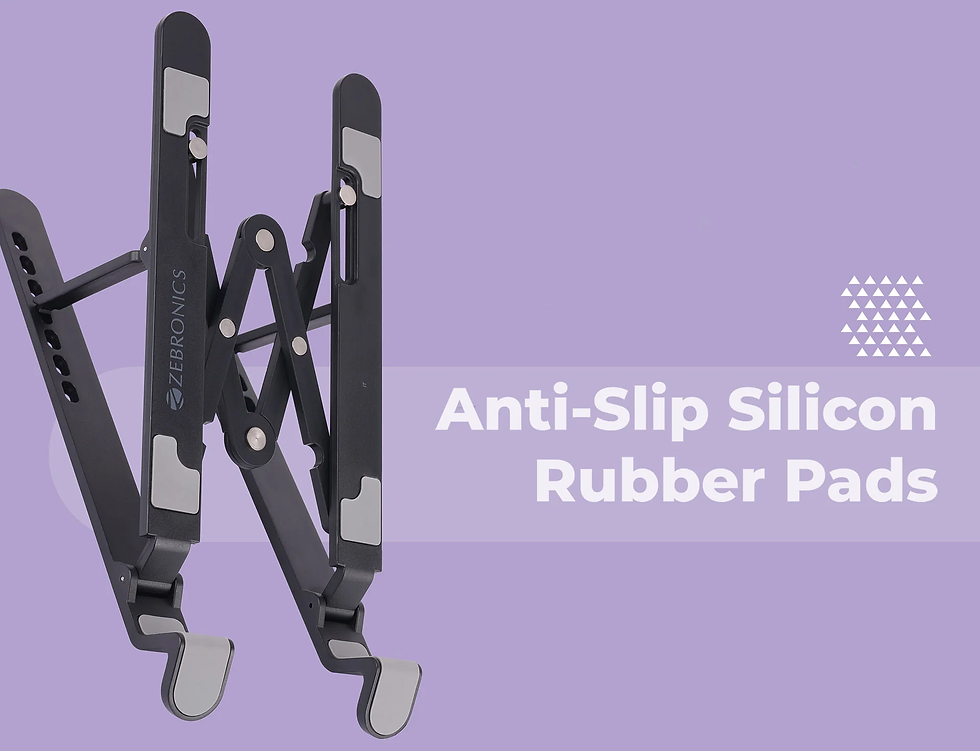
Upon first touch, the stand is immediately lightweight—almost surprisingly so. It's constructed from a single piece of molded, durable plastic with a matte black finish. There are no moving parts, no buttons, and no cables. The design features a large, open design to allow for passive heat dissipation and often includes rubberized pads on the top surface and base. The initial impression is positive: it feels rigid, stable, and purpose-built, without any pretense of being something it's not.
Technical Specifications & Design
A closer look confirms the stand's focus on fundamental utility.
Feature | |
Material | Durable Molded Plastic |
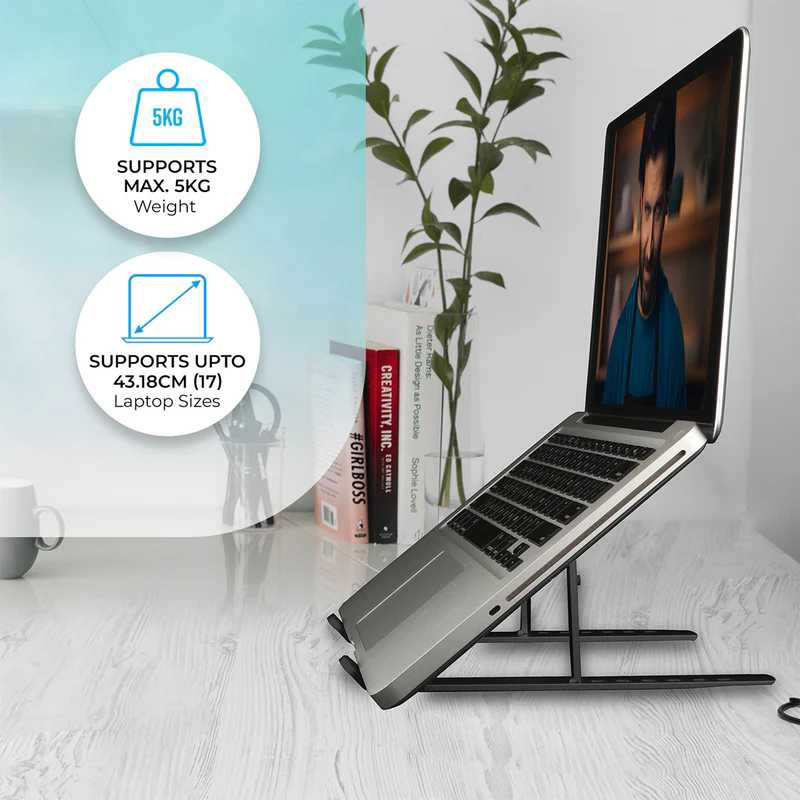
Compatibility | Universally fits laptops up to 15.6" (and often larger, depending on depth) |
Adjustability | Fixed, single angle (typically between 15-20 degrees) |
Cooling | Passive only (via large open vent) |
Power | None required |
Weight | Extremely Lightweight (~200-300 grams) |
Key Feature | Zero-setup ergonomics |

Key Design Analysis:
Pure Function: The design is a masterclass in simplicity. The angled ramp lifts the laptop to a pre-set height, and the large cut-out area serves two purposes: it significantly reduces weight and allows heat to dissipate naturally from the laptop's underside.
Stability: Despite its light weight, the stand is designed with a wide base and rubberized grips. This prevents the laptop from sliding during typing and stops the stand itself from skidding on a desk.
Portability: This is its superpower. Weighing next to nothing and being incredibly slim, it can be slipped into a backpack or laptop sleeve without adding any noticeable bulk or weight, making ergonomics truly mobile.

Performance and Real-World Use Cases
We tested the Zebronics NS 1500 in everyday scenarios to see how its simplicity holds up.
1. Ergonomic Improvement:The benefit is instant and profound. By elevating the base of your laptop, the screen is brought several inches closer to your eye level. This single action:
Reduces neck and upper back strain by preventing you from constantly looking down.
Promotes a better sitting posture, encouraging you to sit back in your chair rather than hunching forward.For anyone who spends hours on a laptop, this is a transformative health and comfort upgrade.
2. Heat Management:Don't confuse "passive" with "ineffective." While it doesn't have active fans, lifting the laptop off the desk surface prevents heat from being trapped. The large opening allows for significantly better air circulation than having the laptop sit flat on a wood or glass desk. This can lead to a modest reduction in operating temperatures and help maintain performance, though it won't match the cooling power of an active fan stand.
3. Stability and Daily Use:The stand proved perfectly stable with a standard 15-inch laptop. The rubberized pads held the device firmly in place. Its lightweight nature means it's easy to move around the desk or pack away in an instant.

Ideal Use Cases:
The Student: Perfect for library sessions, lectures, or studying in a dorm. It goes anywhere and requires no power outlet.
The Coffee Shop Worker: The ultimate travel companion for remote work. It instantly creates an ergonomic workspace anywhere.
The Home Office Worker: An ideal, cost-effective way to create a healthier desk setup when paired with an external keyboard and mouse.
Anyone Needing a Second Screen Elevation: Great for raising a secondary laptop screen to a better viewing height.

The Competitive Landscape
How does this purely passive approach compare?
Feature | Zebronics NS 1500 (Passive) | Active Cooling Stands | Foldable Metal Stands |
Primary Function | Ergonomic Height + Passive Cooling | Ergonomic Height + Active Cooling | Ergonomic Height / Portability |
Setup | Zero (Just place it) | Requires cable management | Requires unfolding |
Noise | Silent | Audible fan noise | Silent |
Portability | Excellent (Lightest, slimmest) | Poor (Bulky, wired) | Good |
Price | Lowest | Mid-Range | Budget to Mid-Range |
The NS 1500's advantage is clear: it is the most portable, simplest, and most affordable option for anyone whose primary need is ergonomics.

Pros and Cons: A Balanced View
Pros:
Ultra-Affordable: The most budget-friendly entry into better ergonomics.
Extremely Portable: The lightest and most compact option available.
Completely Silent & Cable-Free: The ultimate in simplicity; just place and go.
Effective Passive Cooling: Improves airflow far better than a flat desk.
Durable and Stable: Simple design means there's very little that can break.
Cons:
Fixed Angle: Offers no adjustability; you get one angle and that's it.
No Active Cooling: Not suitable for users with gaming laptops or devices that run extremely hot and require active cooling solutions.
Plastic Build: While durable, it lacks the premium feel of an aluminum or steel stand.
Final Verdict
Zebronics NS 1500 Laptop Stand Review - The Zebronics NS 1500 is a masterpiece of minimalist, functional design. It understands its purpose perfectly and executes it without flaw.
Who Should Buy This?This stand is an essential purchase for:
Students and highly mobile professionals who need ergonomics on the go.
Anyone on an extremely tight budget who wants to alleviate neck pain immediately.
Users of standard productivity laptops (e.g., for web browsing, office work, coding) that don't run excessively hot.
People who despise clutter and want a solution with zero cables and zero setup.
Who Should Look Elsewhere?
Hardcore gamers and users of high-performance creative workstations that require active cooling to prevent thermal throttling.
Users who need precise, customizable viewing angles for their setup.
Those looking for a premium, aesthetic-focused accessory to complement a high-end desk setup.
The Bottom Line:You are not just buying a piece of plastic. You are buying a direct investment in your physical well-being for less than the cost of a lunch out. The Zebronics NS 1500 proves that the most effective solutions are often the simplest. It provides 90% of the ergonomic benefit of stands costing ten times as much, with none of the complexity. For its target audience, it is not just a good buy; it is an unquestionably smart

Disclaimer: Some product images in this review have been taken from Apple’s official website for informational and review purposes. All image rights belong to Zebronics
Image Credit: Zebronics (https://zebronics.com/)


https://www.kjcattle.com/ mình ghé thử vì thấy mọi người nói về “liên minh” này nên tò mò xem họ trình bày ra sao. Vừa vào là thấy phần giới thiệu viết khá dễ hiểu, kiểu nói đây là nền tảng tổng hợp nhiều thương hiệu và có nhấn mạnh chuyện dùng chung một tài khoản cho mấy nền tảng, đọc lướt cũng nắm được ý. Mình không ngồi đọc hết từng đoạn, chủ yếu nhìn cách họ sắp xếp nội dung thôi. Trang chia theo các tiêu đề rõ ràng, mỗi khối thông tin tách riêng nên mắt đỡ bị rối, kéo xuống vẫn theo mạch. Màu sắc cũng vừa phải, không bị chói hay nhồi chữ quá nhiều. Nói chung…
Hit Club hôm trước mình thấy bạn bè nhắc qua nên tò mò bấm vào xem thử giao diện họ làm thế nào. Mình không đọc kỹ từng bài hay dịch vụ đâu, chỉ lướt nhanh để xem cách họ chia nội dung và trình bày thông tin cho dễ nhìn. Ấn tượng đầu là phần tiêu đề nhóm nội dung khá rõ ràng, kiểu nhấn vào mấy chủ đề về cam kết đổi mới và bền vững với niềm đam mê tạo ra không gian nên nhìn vào biết họ muốn nói gì ngay. Mấy khối nội dung giới thiệu về Études cũng viết ngắn gọn, không bị dài dòng, nên lướt trên điện thoại vẫn ổn. Menu điều…
https://kjcvip.net/ mình thấy bạn bè nhắc hoài nên ghé thử cho biết, chủ yếu xem trang họ làm ra sao chứ chưa có thời gian ngồi tìm hiểu sâu. Cảm giác đầu tiên là giao diện nhìn khá hiện đại, bố cục chia thành từng mảng rõ nên lướt một vòng cũng không bị ngợp. Mình để ý phần tin tức cập nhật theo ngày đặt khá dễ thấy, kiểu ai thích xem nhanh thông tin mới thì tiện. Mấy tiêu đề và khối nội dung canh thẳng hàng, chữ nghĩa rõ ràng nên mắt đỡ phải “căng” để tìm. Nói chung vào xem thử cho vui mà thấy cách họ chia block và đặt mục tin tức ngay trên…
Khi tìm hiểu về các website giải trí trực tuyến, mình có vào thử Sc88 bù link nha để xem cách họ xây dựng nội dung. Tổng thể giao diện khá sáng sủa, dễ nhìn và thao tác đơn giản. Dù chỉ trải nghiệm nhanh nhưng mình thấy cách sắp xếp thông tin khá hợp lý và tạo cảm giác thoải mái khi sử dụng
https://hitclub-mobile.com/ mình ghé thử đúng kiểu “xem cho biết” vì thấy bạn bè nhắc hoài, chứ cũng không định ngồi lâu. Vào cái là thấy giao diện khá dễ chịu, các mục được chia thành từng khối nhìn phát hiểu luôn, không bị rối như nhiều trang khác. Mình lướt phần giới thiệu thì thấy họ viết khá kỹ, có nhắc đến giấy phép kiểu PAGCOR với Isle of Man nên ít nhất người mới đọc cũng đỡ lăn tăn. Mấy nút menu đặt ngay chỗ dễ nhìn, chuyển qua lại giữa các trang cũng nhanh, không bị giật lag gì. Nói chung cảm giác là họ chăm chút phần trình bày, chữ với bảng thông tin canh theo cột…