
CT101 10-in-1 Mouse & Keyboard Connector Review – The Hidden Gem for Creators in 2025

Quick Overview

Feature | Specification |
Product Name | |
Type | Multi-port USB Hub / Adapter |
Ports | 4x USB 2.0, 1x USB 3.0, 1x HDMI, 1x Type-C, 1x SD, 1x MicroSD, 1x RJ45 Ethernet |
Use Case | Content Creation, Multi-device Workflow |
Price (India) | ₹1,199 to ₹1,499 |
Usage Duration | 1 Month (as of 2025) |
Introduction: One Connector to Rule Your Creative Setup - CT101 10-in-1 Mouse & Keyboard Connector Review
In the cluttered landscape of content creation accessories, the CT101 10-in-1 USB connector quietly stands out. For solo creators juggling keyboards, mice, cameras, SD cards, external drives, Ethernet, and displays — this little hub is a lifesaver. Especially for compact setups where every port counts, the CT101 transforms your laptop or MacBook into a powerful workstation.

Design & Build: Compact, Durable & Purposeful
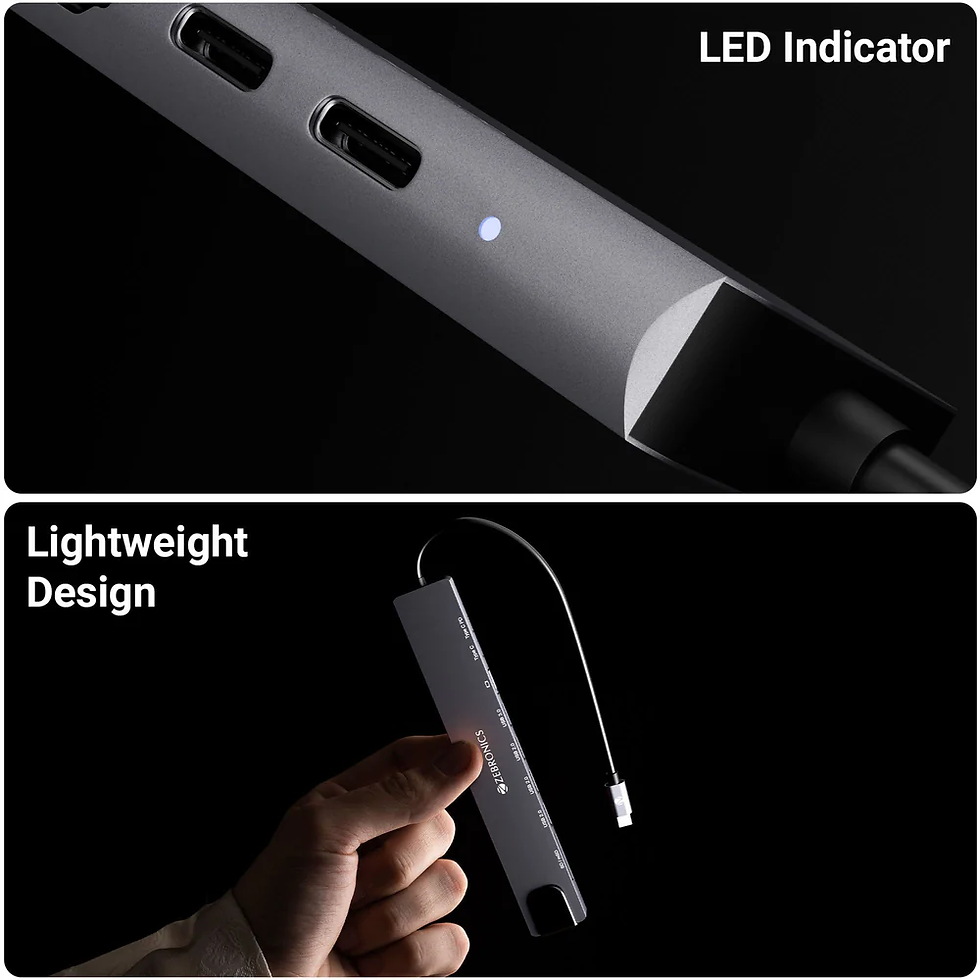
The CT101 comes in a sleek metallic gray finish, matching the minimalist aesthetic of modern creators. It feels sturdy with a braided cable and solid USB-C connector. On the front side, ports are clearly labeled. You can easily plug in a mouse, keyboard, USB mic, and card reader — and still have room for Ethernet or HDMI.
Port Functionality & Real World Use Cases
Let’s break down how each port actually enhances a solo content creator’s workflow:
USB 3.0 Port: Fast transfers for hard drives, USB sticks with raw footage or music files.
USB 2.0 Ports (x4): For peripherals like the Zebronics keyboard/mouse combo, Digitek mic receiver, ring light power, etc.
HDMI Port: Connect a secondary display for dual-screen editing or script reading.
Type-C Port (Pass-through charging): Use your MacBook while the hub is connected.
SD & MicroSD Card Slots: Transfer camera content directly (works well with Nikon Z50).
RJ45 Ethernet Port: For fast, stable internet during large uploads or live streaming.

Performance: Plug-and-Play Perfection
Within a month of usage, the CT101 has never needed extra software or troubleshooting. All devices are detected instantly on both macOS and Windows. Even with all 10 ports in use, there was no overheating or lag.
Tested Use Cases:
File transfers of 4GB+ from SD card to MacBook (10-20 MB/s)
Live preview of YouTube video edits on an external monitor via HDMI
Audio recording with USB mic while keyboard/mouse are active
Plug-and-play Ethernet when Wi-Fi was weak

Creative Setup Enhancement
Whether you’re a tech YouTuber, music producer, or beatboxer, this tiny hub becomes your foundation. With just one USB-C port on the MacBook, creators usually have to choose: charging or peripherals? With CT101, you get both, and more.
It’s also a practical upgrade for creators who want to shoot/edit outdoors or in co-working
Comparison with Similar Hubs
![A laptop connected to a larger screen via HDMI, both displaying a blue abstract design. Text reads "HDMI 4K # 30Hz [Max.]."](https://static.wixstatic.com/media/465066_107c8f2755004202b26d77052e197355~mv2.png/v1/fill/w_980,h_980,al_c,q_90,usm_0.66_1.00_0.01,enc_avif,quality_auto/465066_107c8f2755004202b26d77052e197355~mv2.png)
Model | Ports | HDMI | Ethernet | Price (₹) | Verdict |
10 (All-in-One) | Yes | Yes | ₹1,299 | Best for creators | |
7 (No Ethernet) | Yes | No | ₹1,099 | Compact but limited | |
6 (No SD Reader) | Yes | No | ₹1,499 | Reliable but fewer ports | |
9 (Premium) | Yes | Yes | ₹2,799 | Excellent, but expensive |

Pros & Cons
Pros:
All essential ports in one hub
Stable performance without power issues
No heating even with full usage
Value-for-money under ₹1,500
MacBook and Windows compatible
Cons:
Only one USB 3.0 port
No audio-out jack
Not meant for heavy gaming accessories

FAQs
Q1: Can it charge my MacBook while in use?
Yes. The Type-C power pass-through supports charging while using the hub.
Q2: Is the HDMI 4K compatible?
Yes, but capped at 30Hz for 4K resolution.
Q3: Will it work with Android phones or tablets?
Only if your device supports OTG + HDMI (check device compatibility).
Q4: Can I use it to connect a DSLR directly?
Yes, via USB if your DSLR supports mass storage or tethering.
Q5: Does it need external power?
No, it draws power from the connected device.
Final Verdict: Don’t Build a Setup Without It
CT101 10-in-1 Mouse & Keyboard Connector Review - The CT101 10-in-1 connector may not get flashy marketing, but in a real creator’s workflow, it plays a central role. With zero driver hassle, great build, and multi-functionality, this hub quietly powers your setup while keeping your desk clean and efficient.
If you’re serious about multitasking, editing, and content production, skip the cheaper 3-port dongles and grab the CT101. Your creative routine will thank you.
Rating: 4.7/5 – Must-Have Hub for Solo Creators in 2025
Disclaimer: Some product images in this review have been taken from Apple’s official website for informational and review purposes. All image rights belong to Zebronics
Image Credit: Zebronics https://shop.zebronics.com/)


Comments